Dotdeck
Share the useful part of a developer setup. Dotdeck gives configuration snippets their own pages, explanations, and discussions.
Details
Links
A useful terminal tweak can be buried inside someone's entire machine setup. Dotdeck gives that tweak its own page, with code to copy and an explanation of what it does.
The unit of sharing is a deck. It can contain several code snippets under one description, with tags to help people find it. Readers can leave comments or rate it, and an author's profile collects their decks in one place.
I built the frontend and backend for this course project. The implementation uses Next.js, Express, and MySQL. Read about the search flow or the ownership bug found during the source review.
The Explanation Belongs Beside the Code
A configuration snippet needs context. The deck format leaves room to explain the tool it belongs to and how the pieces fit together. Search and tag filters help readers find a relevant setup, while comments give them somewhere to ask about it.
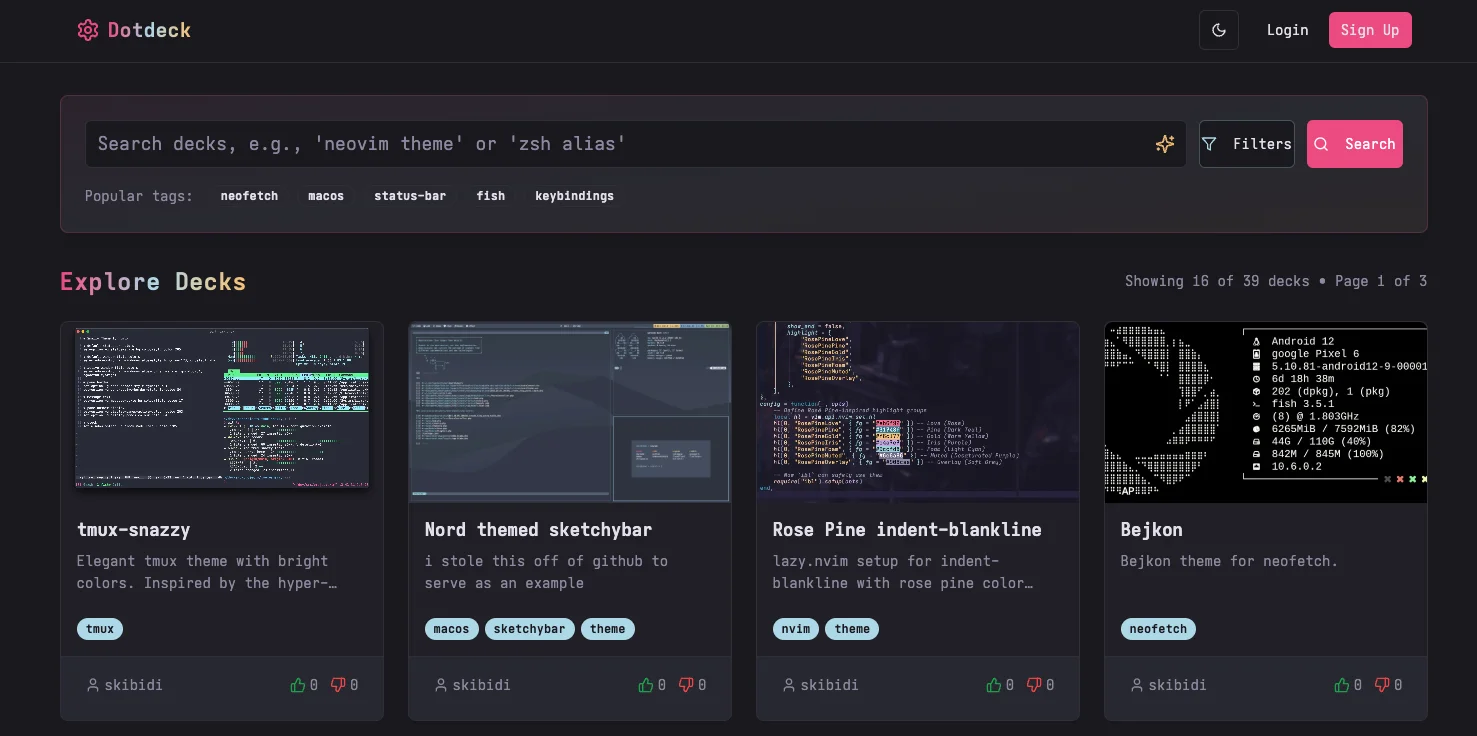
This was my first full-stack web application. I built the frontend and backend, starting with React and Vite before replacing the frontend with Next.js. The API uses Express and MySQL. The screenshot above shows the browse page in June 2025, with example decks for tmux, SketchyBar, and Neovim.
Following a Search Through the App
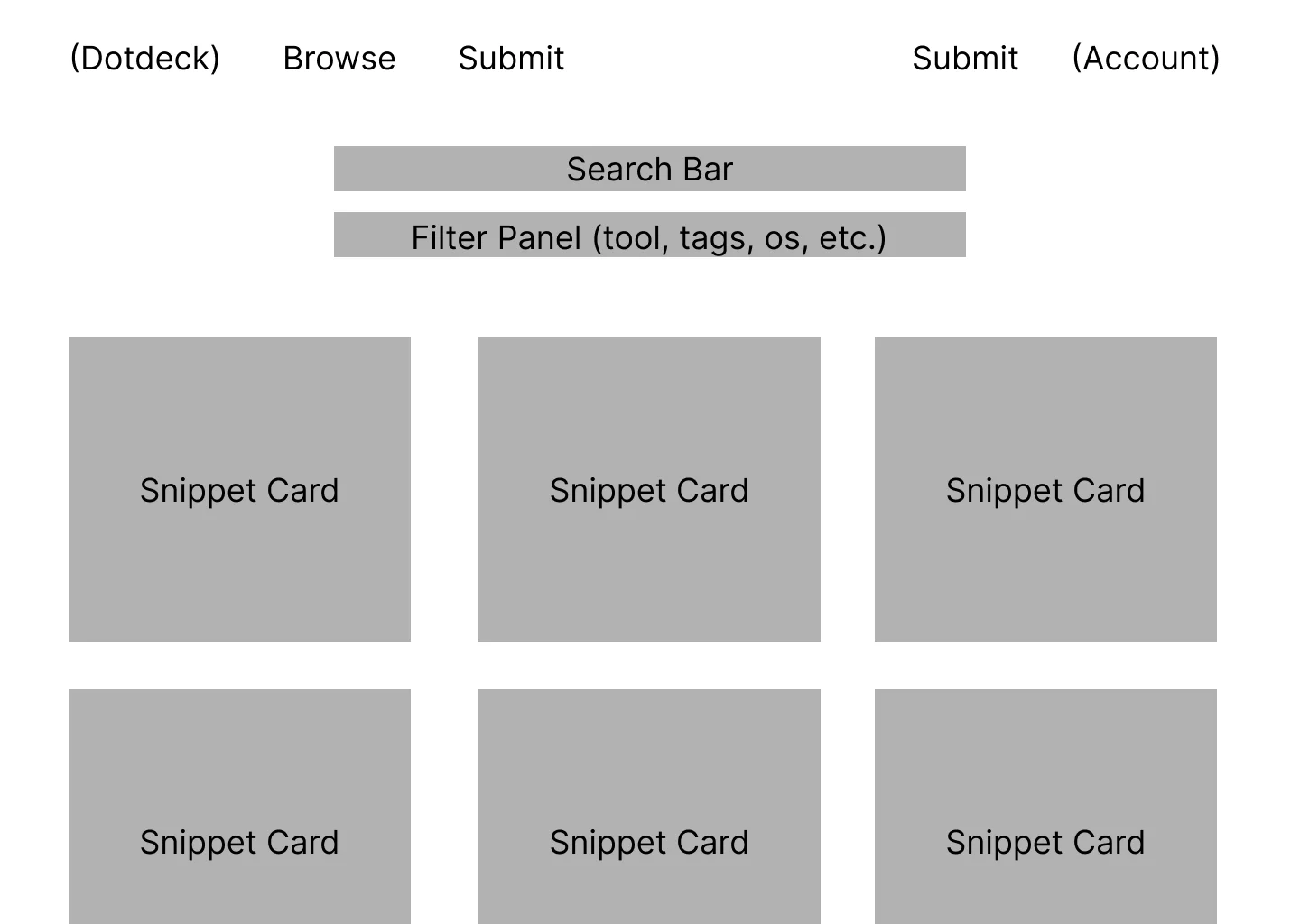
The search field waits until typing has stopped for half a second before changing its query. TanStack Query identifies each result by the search term, selected tags, and page number. Changing the filters returns the reader to the first page, so an offset from a previous search does not hide a smaller set of results.
The API searches titles and descriptions with SQL LIKE comparisons. A tag filter joins the deck and tag tables. It returns one page of decks and a matching total, which the frontend uses for its result count and pagination.
- Data & Assets
- Logic & Services
- Interface & Presentation
- Platform & External
Loading diagram...
Next.js and Express run as separate services. Read requests, authenticated edits, and image uploads take different paths. A deck edit checks ownership inside the transaction before replacing its snippets or tags.
Explore the Source
Opening a deck requests its snippets in their saved order. Each snippet keeps its own language, caption, and code. The copy button acts on that snippet, so readers can take one part without copying the whole deck.
Images and Account Actions
Thumbnail uploads arrive through Multer with a 10 MB size limit. Sharp applies the image's orientation and converts it to WebP under a generated filename. The API returns a path that the deck form can save with the rest of the entry.
Comments and ratings belong to the deck. The application also has registration, login, author profiles, and an administration area for users, tags, and moderation. Building those screens meant handling empty results, failed requests, and the state after an edit or deletion, alongside the successful path.
A Frontend Change That Changed Deployment
During development, I replaced the original frontend with a Next.js version. I had planned to host the whole application in one Node instance. The version I built used Next.js server rendering, so my original plan to serve a compiled frontend from Express no longer fitted it. I ended up deploying the frontend and API as two Node services.
The interface work also exposed gaps in the API. Editing and deleting decks needed consistent error responses, permissions, and working image-upload paths. Those details became much clearer once I had to complete the actions through the actual interface.
My development diary records too much time spent on early structure that I later discarded. For a similar project, I would get one deck through creation, editing, and deletion before extending the application around it.
Checking Ownership Before an Edit
The publication review found a permissions bug in the deck update path. The scalar update included a user ID in its SQL, but its helper returned success even when no row matched. The service trusted that result and proceeded to replace snippets and tags. A snippets-only edit could skip the scalar query entirely.
The revised path locks the deck row that matches both the deck ID and the signed-in user before any write. An unavailable or unowned deck stops the transaction. Snippets and tag creation now use the same connection, and a failure rolls back the edit.
Eight focused regression tests cover non-owner requests, snippets-only and tags-only edits, deleted or missing decks, and rollback after a child-write failure. They exercise the service with a controlled database connection. A ninth test runs against MySQL 8.4 in CI and checks that another user's snippets stay unchanged, a failed tag write rolls the edit back, and an authorized edit succeeds.
That database test also exposed a problem the controlled connection missed. INSERT IGNORE accepted an overlong tag by truncating it, so an invalid child write could appear successful. Handling duplicate names explicitly keeps that behavior separate from validation errors. The transaction can now reject the invalid tag and restore the original deck.